




Basic
Solo stylists and small studios running one shop.
$15.99CAD / month
1 location · up to 3 team members

Less juggling.
More you.
Big days. Small details.
A little help from your friend Milo.
Booked, reminded, paid, and in order.
Less "where did I put that?"
More "I've got this."
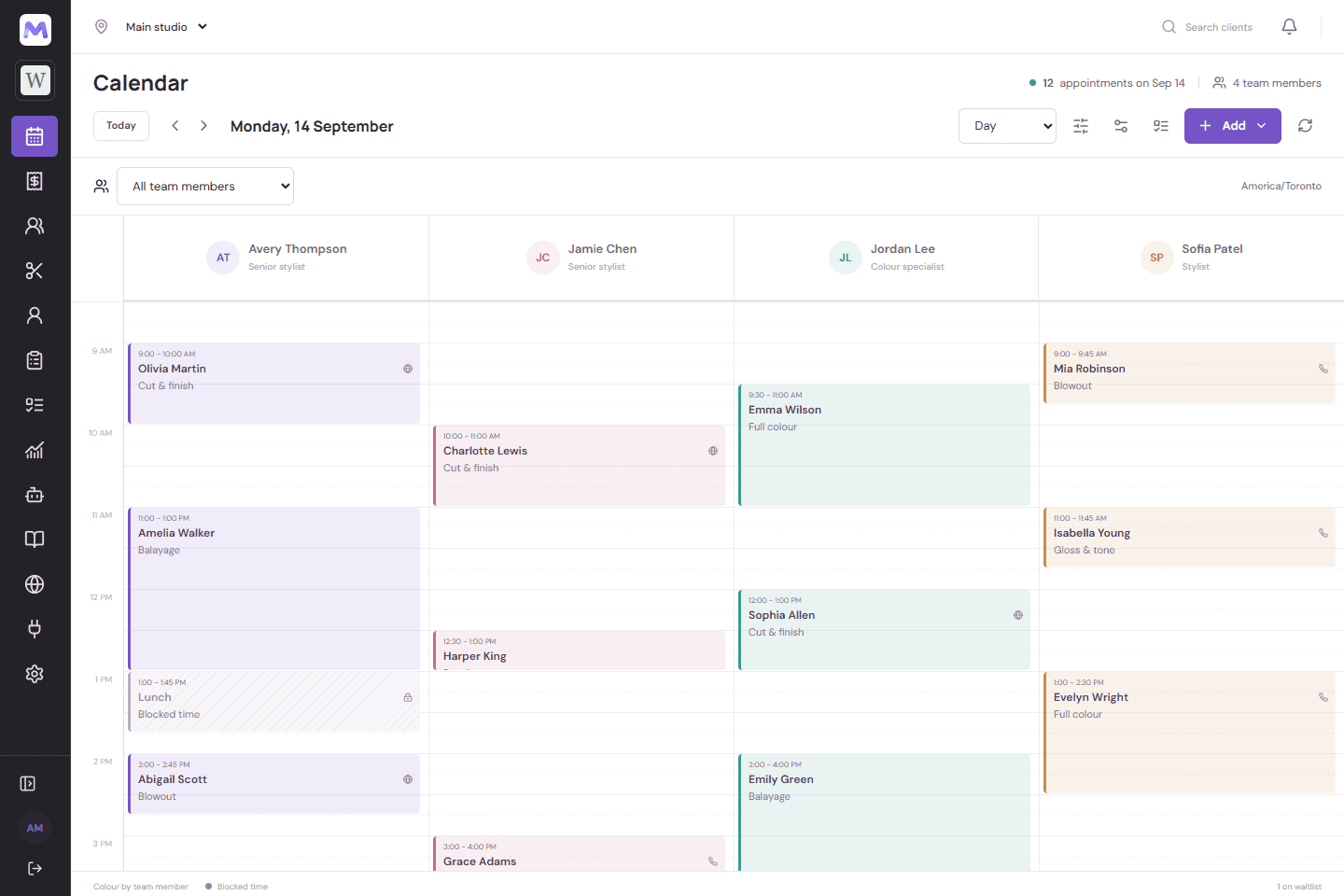
From the first booking to the last check-out, keep the whole day in view.
Client notes, visit history, and your team's availability, all close at hand.
A booking page for your business, ready when your clients are.
The tools you'd otherwise pay extra for,
in the same workspace.
Bookings, changes and blocked time flow both ways, and Vagaro checkouts land in Milo. Keep using Vagaro while you settle in.
More on schedulingEach location has its own opening hours, team schedule and online booking switch.
More on online bookingSee where every booking came from: your online page, the phone, Instagram, Google or your website. Then drill into the visits.
More on checkout & salesOne-off or recurring messages to the clients you pick.
More on clientsClients join the waitlist for a full day, or jump to the next opening.
More on online bookingBookings Polly takes over the phone and in chat land straight in your calendar.
Bring in practitioner calendars from Jane, and hand consults off to Jane from your website.
Milo takes no cut of your bookings or your new clients. You pay a monthly plan (plus texts and card payments, only if you use them), and your client list belongs to you.
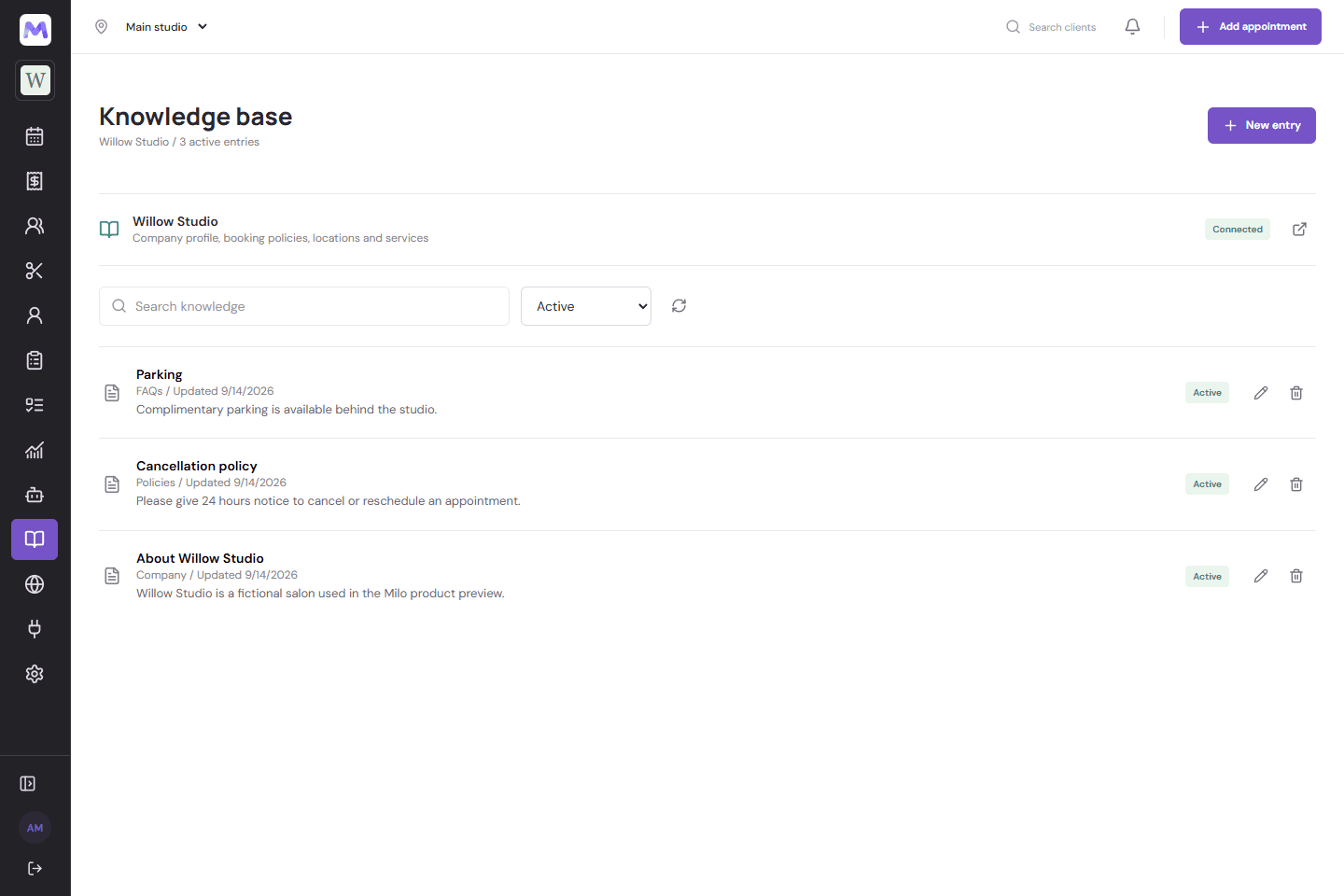
A writing partner for the small things that fill your day, with your company's knowledge close at hand.
Local AI requires a compatible WebGPU browser and an initial model download. Company knowledge is saved in your workspace; AI inference runs on your device.
Three plans. All prices in Canadian dollars.
Basic includes up to 3 team members; salons with 4 or more need Pro.
Solo stylists and small studios running one shop.
$15.99CAD / month
1 location · up to 3 team members
Established single salons ready to grow bookings and fill gaps.
$20.99CAD / month
1 location · unlimited team members
Multi-location salons, medspas and clinics.
$30.99CAD / month
3 locations included, CA$9.99/month per extra location · unlimited team
| Feature | Basic | Pro | Max |
|---|---|---|---|
| Run the dayAll plans | |||
| Calendar, clients, services and bundles | |||
| Branded online booking page, policies, self-cancel link | |||
| Checkout and sales, email confirmations | |||
| Vagaro two-way sync and importsEvery plan | |||
| Parking permits, Google Calendar sync, backup | |||
| Basic reports (revenue, bookings, expected vs. actual) | |||
| Grow the businessPro and Max | |||
| Full reports (booking sources, period comparisons, CSV/PDF export) | |||
| Waitlist that finds openings | |||
| Intake and consultation forms | |||
| Two-way texting from your own number, text reminders | |||
| Email and text campaigns | |||
| Local AI assistant and knowledge base | |||
| Team roles and access | |||
| Scale and connectMax only | |||
| Reports across all locations | |||
| Polly phone and chat bookings | |||
| Consult embed and Jane handoff | |||
| Website embed and API | |||
| Multiple businesses under one login | |||
| Setup and data migration done for you | |||
What you'd pay to start, to grow a team,
and to take a card online.
| Product | Starting price | Extra per staff | Commission on new clients | Card rate (online) |
|---|---|---|---|---|
| Milo | CA$15.99/month | None (Basic up to 3, Pro unlimited) | None | Stripe's standard rate + $0.10 per payment |
| Vagaro (Canada) | From $35/month, 1 calendar | +$15/month per calendar | Marketplace listing free; “Fill My Books” booking fee | 3.4% + $0.15 CAD |
| Booksy | $29.99/month | +$20/month per staff | Boost: 30% of first visit (US terms) | 2.69% + $0.30 (US, keyed/online) |
| Fresha | CA$29.95/month (Independent); Team CA$19.95 per member | Per member pricing | 20% of first visit from marketplace, min CA$6 | 2.79% + CA$0.20 |
Milo is an online booking system for salons, barbershops, spas, nail and lash studios and clinics. It gives you a booking page, a calendar for your team, client records, checkout, reports, and text and email reminders, in one place, made by Cwoted in Canada.
Milo has three plans: Basic at $15.99, Pro at $20.99 and Max at $30.99 CAD a month. Creating an account is free, and new workspaces get 14 days of Pro to try everything. Comparing options? See our guide to the best salon booking software in Canada at milo.cwoted.com/guides/salon-booking-software-canada.
No. You pay a flat monthly price, whatever you book. When you take card payments from clients through Milo, there is a small fee per payment on top of Stripe's own fees, shown on the pricing page.
Yes. Your business has its own booking page, with your services, team, and available times. You control whether online booking is open.
Yes. Milo sends booking confirmations and reminders by email on every plan, and by text on Pro and Max, which include a monthly allowance of texts. You can also send a follow-up a set number of days after a visit.
Yes, on every plan. Bookings, changes and blocked time sync both ways, and checkouts made in Vagaro reach Milo with their tax, tip and payment type.
Yes. Busy times in your Google Calendar block those times on your booking page, and Milo can add your bookings to the Google calendar you choose.
Yes. Milo uses the shared Polly sign-in for existing accounts. Sign in with your Polly email and current password. Your access follows your organization's permissions.
No. The local assistant uses WebLLM to run a downloaded model in a compatible browser. It does not use a hosted AI API for inference. Model downloads use bandwidth and device storage; other connected services may have their own charges.
Your company's knowledge base is saved in its Milo workspace. Entries you include are provided to the local model for context. Review AI-generated answers before relying on them.
